October 14, 2026 · 6 min read
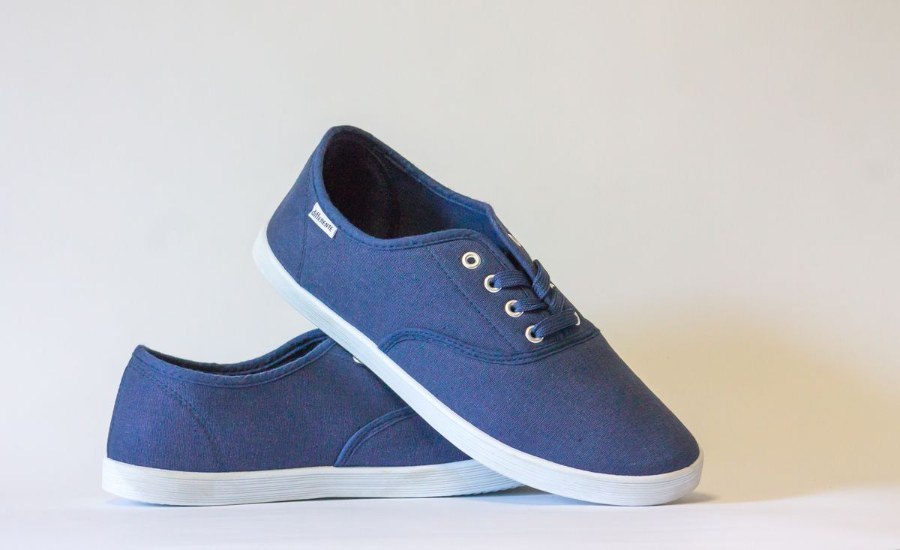
Walmart Marketplace Image Requirements (2026)
Build every image to 2200 x 2200 pixels, square, under 5MB, JPEG, on a seamless white background of exactly RGB 255, 255, 255, with a zoom floor of 1500 x 1500. That is the complete set of hard constraints from Walmart's own Marketplace Learn guide. The trickier part is that most third-party "Walmart image requirement" articles circulating right now contain numbers Walmart never published, and sellers who build to those numbers get failed submissions or lost zoom. Below: the verified spec table, the specific myths to ignore, and a bulk workflow that preps a whole catalog in one pass.
The Verified Spec Table
Straight from Walmart's Product Detail Page image guidelines, cross-checked against the live Marketplace Learn page. If another guide contradicts this table, this table wins:
| Constraint | Walmart's requirement |
|---|---|
| File format | JPEG, JPG, PNG, BMP — no GIF |
| Color / bit depth | RGB, 8 bits per pixel |
| Max file size | 5MB — larger files fail submission |
| Target dimensions | 2200 x 2200 px |
| Zoom minimum | 1500 x 1500 px |
| Swatch image | 100 x 100 px where applicable |
| Aspect ratio | 1:1 (square) |
| Main image background | Seamless white, RGB 255/255/255 |
| File naming | 14-digit GTIN recommended |
| Image count | 4+ distinct images recommended per listing |
The Wrong Numbers Everywhere
Several popular optimization agencies publish "Walmart image requirement" guides with specs that do not appear in Walmart's documentation. Sellers build to these numbers and then wonder why uploads fail. Four of the most common fabrications:
- "10MB file limit, minimum 640 x 480." Walmart's published figures are 5MB max and 2200 x 2200 target. A 2200 x 2200 Photoshop export can easily pass 5MB — build to the 5MB number or your bulk upload errors out item by item.
- "Images under 500 x 500 are automatically unpublished." Walmart publishes a zoom minimum (1500 x 1500) and exactly one consequence sentence: "Noncompliance may result in products being unpublished." No pixel threshold is stated anywhere.
- "The product must fill 85% of the frame." The actual wording is qualitative: crop the item as close as possible to the image frame and avoid excessive background space. There is no 85% rule.
- "No human models or mannequins allowed." Not in the image guide. Apparel and many lifestyle-category secondary images routinely show models.
One more genuine regional quirk: Walmart's Canada guide lists a 1000 x 1000 zoom minimum while the US guide lists 1500 x 1500. If you sell cross-border, export masters at 2200 and both thresholds are covered — never ship a hero below 1500.
Main Image vs Secondary Images
The white-background rule applies to the main image. What must never appear on it: watermarks, your logo or name, text claims, promotional language, Walmart or competitor retailer names, out-of-stock indicators, condition labels like "refurbished" or "grade A", accessories not included in the box, and duplicate frames. Stock photos are prohibited on Walmart entirely — the company's own FAQ answer is a flat no. That last point separates Walmart from eBay and, to a degree, Amazon: supplier photography you did not shoot is a policy violation, not just a quality problem.
Secondary slots (2 through 4+) are where angles, detail close-ups, packaging, and in-context shots live. A competitive set looks like: hero on pure white, one alternate angle, one material or hardware close-up, one in-context shot, plus a what's-in-the-box frame if it builds trust. Walmart's minimum of four distinct images assumes this spread.
Bulk Workflow for a Whole Catalog
The three constraints that break most sellers at volume are the pure-white background, the square 2200 frame, and the 5MB ceiling — and all three can be handled in one pass without Photoshop:
- Step 1 — Drop backgrounds in bulk.Load every supplier or studio photo into the transparent background tool, choose White as the output. It composites onto exact RGB 255, 255, 255 — no off-white casts, no gray shadow edges. Processing runs locally in your browser, so a 300-SKU folder takes minutes and costs nothing.
- Step 2 — Square the frame.Crop or pad to 1:1 at 2200 x 2200. Any image below 1500 x 1500 on its short edge will lose zoom, so upscale small supplier files before this step, not after.
- Step 3 — Clamp file size under 5MB.Run the set through the batch image compressor as JPEG. A 2200 x 2200 JPEG at quality 85-90 lands around 1-2MB with no visible loss — comfortably under the cap.
- Step 4 — Rename to GTIN and upload.Rename each file to its 14-digit GTIN before bulk upload so images bind to the correct items without manual matching. If you also sell on Amazon, the same white-background masters work there — the two platforms converge on RGB 255 heroes, as covered in our Amazon rejection guide.
Content Quality Score: The Soft Constraint With Teeth
Walmart scores listing content (images included) and low scores suppress placement even when nothing is technically "rejected". The guide explicitly warns that low-resolution images pull down the score. Practically: 72 ppi screen-grab images out of a PDF get flagged; 300 ppi exports of the same pixels do not. If your supplier hands you files straight from a spec sheet PDF, re-export at print resolution before the bulk pass, or everything else about the listing won't matter.
- Checking the wrong spec sheet: third-party guides with fabricated numbers (above) waste prep time — verify against Marketplace Learn before rebuilding a catalog.
- Transparent PNG as hero: accepted format, noncompliant background. Flatten onto white first.
- One image per listing: below Walmart's own four-image minimum; expect a content score penalty.
- Non-English text in frames: prohibited. Infographic images in Chinese or Spanish fail review on US listings.
Frequently Asked Questions
What size should Walmart marketplace product images be? ▼
Walmart's target is 2200 x 2200 pixels, square 1:1, with 1500 x 1500 as the zoom floor. Files must stay under 5MB. Images below the zoom minimum render without hover-zoom, which costs conversions on detail-heavy products.
Does Walmart require a white background on product images? ▼
Yes, for the main image: seamless white at exactly RGB 255, 255, 255. Off-white, gray shadow edges, and visible background seams all count as noncompliant. Secondary images can show context; stock photos are prohibited outright.
What file formats does Walmart accept? ▼
JPEG, JPG, PNG, and BMP, in RGB color at 8 bits per pixel. GIF is not permitted. Walmart recommends naming files with the 14-digit GTIN so bulk uploads map images to the right items.
Can I use transparent PNGs on Walmart? ▼
PNG is an accepted format, but the main image still needs a seamless white background, so transparency itself is noncompliant as a hero. Flatten onto pure white in bulk before uploading, then export JPEG to stay under 5MB.