October 21, 2026 · 7 min read
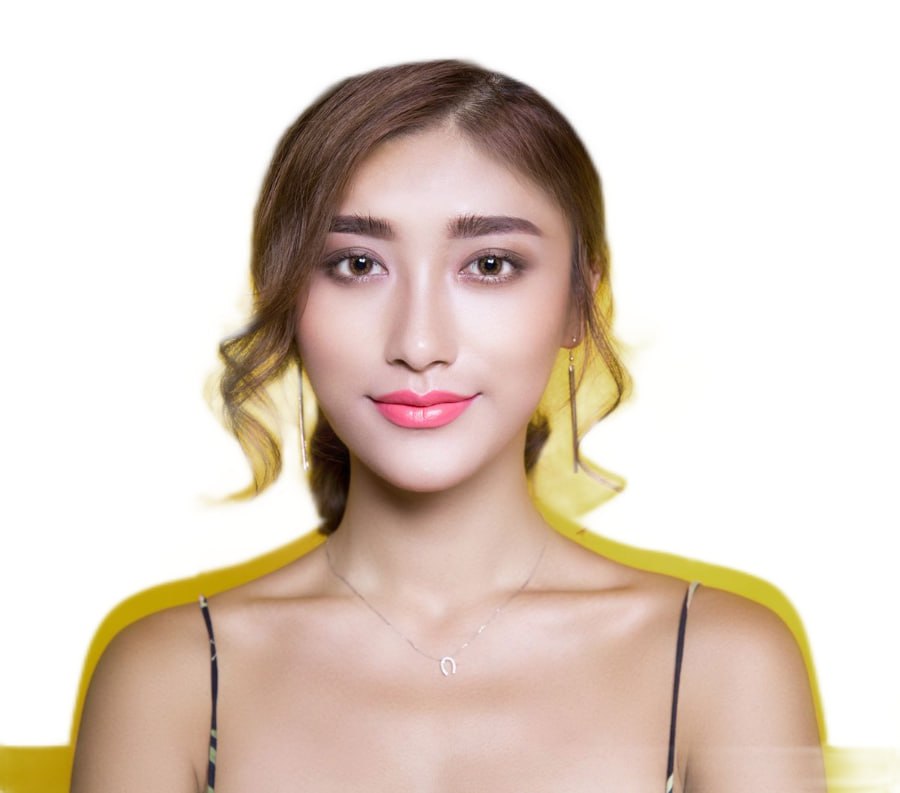
Model Photo Background Change for Fashion Sellers: One Shoot, Five Platforms
The answer up front: you do not need five shoots — you need one shoot and one batch pass. Amazon and Walmart demand the garment on a standing model against a mathematically pure #FFFFFF backdrop; eBay, Etsy, and your own Shopify store want the lifestyle version of the same frame. The efficient fashion seller photographs once, then bulk-replaces backgrounds on the whole lookbook in a single pass to produce compliant white-master images for the marketplaces while keeping the originals as alternates and social crops. This page is the per-platform rule sheet — including the on-model mandate and the ghost-mannequin trap that most generic "white background" guides skip — plus the exact pipeline.
Who Actually Forces a Background Change — and Who Doesn't
Fashion is the one category where the platforms disagree, and the disagreement is about the human, not just the white. Straight from the guidelines:
| Platform | Main-image background | Model on main? |
|---|---|---|
| Amazon (adult apparel) | Pure white RGB 255/255/255, enforced | Required — standing model, frontal, shoes on (except swim/sleepwear) |
| Amazon (kids, baby, accessories) | Pure white, enforced | Forbidden — must be laid flat / off-model |
| Walmart Marketplace | White, enforced on primary image | Allowed on apparel; no visible props |
| eBay | Recommendation only; darker can suit shiny items | Allowed; one item, no text/borders/watermarks |
| Etsy | No mandate — first image should show the actual item | Allowed; lifestyle settings encouraged |
| Shopify / own store | Whatever converts — consistency beats rules | Your call |
Two consequences sellers miss. First, on Amazon the model is part of the spec, not a style choice: adult apparel mains must be on-model, which rules out the flat-lay and packshot style that works for other categories. Second, on Amazon the model is also part of the risk: the guidelines add pose and coverage rules — standing only (no kneeling, leaning, lying), eyes open, mouth closed, arms along the body, hair behind the shoulder so it cannot cover the garment, no distracting accessories, no suggestive poses, and for sheer items the model must wear undergarments covering genitals, breasts, and buttocks. A background swap can fix your backdrop; it cannot fix a prohibited pose. Shoot the constraint into the session. Our Amazon rejection troubleshooting guide covers the non-background reasons images die.
The Ghost Mannequin Trap
Many fashion sellers shoot invisible-mannequin (ghost mannequin) instead of live models because it is cheaper and size-invariant — one dress form covers S through XXL. That works beautifully on Shopify, Etsy, and eBay alternates. It fails on Amazon adult-apparel mains specifically because Amazon lists visible mannequins, hangers, and holders as prohibited and simultaneously requires an on-model main; a ghost shot satisfies neither clause. Amazon even asks for the opposite discipline: where the main is on-figure, add an off-figure laydown (.FL01 in their file naming) so shoppers see the garment without a body.
The practical reading: your background pipeline has to handle two different subjects. Full-figure model shots need subject segmentation that preserves hair, flowing fabric, and limbs against the backdrop — the hard case for naive removers, since loose knit and motion-blurred hems read as background. Ghost and flat-lay shots need clean garment edges and no mannequin artifacts bleeding through the hollow neck and armholes. Before trusting any bulk tool with a lookbook, run one difficult frame — a backlit, flying-hem shot — through the transparent background tool and inspect the mask at 100% zoom. If it keeps fine hair and fabric fringe, batch the rest.
The One-Shoot, Five-Channel Pipeline
- Step 1 — Shoot to the strictest spec.Studio session for adult apparel: standing frontal pose per Amazon's crop system (full length for anything falling at/below the fingertips, upper body for tops, waist-down for trousers, square for bras and swim tops), plain seamless backdrop, garment filling well over 85% of frame. Kids and accessories: a parallel flat-lay set. Every look also gets a back shot — Amazon flags it as extremely important and every other channel reuses it.
- Step 2 — Duplicate the set, then replace backgrounds in bulk.Copy the raws; the originals are your lifestyle/alternate pool. Push the duplicate folder through the bulk background remover with white output so the whole lookbook is swapped in one pass instead of one Photoshop session per SKU. This is the same folder-first logic as our eBay batch workflow, but the subject is a person, not a product on a table.
- Step 3 — Verify the white is actually pure."Near white" is one of the most common silent rejections: a warm studio wall swapped carelessly can composite to #FAFAFA. Spot-check by reading a corner pixel — it must report 255/255/255 — and crop to Amazon's aspect (roughly 3:4 for fashion, product ≥85% of area). The format question matters here too: finish as JPEG, because a transparent PNG layered over a grey CMS page background shows you exactly the near-white error Amazon won't.
- Step 4 — Size for zoom, name for the feed.Keep the long side at least 1600 px so zoom activates and childrenswear clears Amazon's floor; cap the longest side well under 10,000 px. If you push feeds through a templated upload, follow the channel convention (.MAIN, .PT01, .FL01) so the on-model main and its off-figure laydown never collide in the mapping.
- Step 5 — Fork the non-white versions.The untouched originals become: Amazon alternates (styled shots may use a different background, props, full face — alternates are far freer than mains), Etsy's first image and lifestyle row, eBay's slot 4+, Instagram crops, and your store's collection pages. If a batch runs heavy on storage, the batch image compressor trims the lifestyle pool without touching the masters.
What Not to "Fix" During the Swap
- Don't retouch exposed skin. Amazon prohibits airbrushing/retouching bare skin areas; a background-only edit is sanctioned, skin smoothing is not — and since July 2026, photorealistic AI-generated people additionally need a metadata tag before upload.
- Don't clone out swing tags and packaging. Visible brand tags, packaging, and brochures are prohibited in the main anyway — the honest fix is removing them at the shoot, not inpainting them away per frame.
- Don't add anything. No borders, text, color blocks, inset composites, or "front + back in one image" — a merged two-view frame is an invalid main even if both views are compliant alone.
- Don't ship the same main for every colorway. Every child ASIN needs its own main showing that exact color; a background batch that color-matches poorly across the set is a listing-wide problem, so audit the swatch order (darkest top-left for cascaded multipacks).
Cost Math: Why Batch-Replacement Beats a Second Studio Day
A studio fashion day runs roughly $300–$800 for photographer plus model, and a second "marketplace day" (same looks, seamless white wall, cropped to spec) doubles it, plus the per-image clipping-path outsourcing most sellers then pay — typically $1–$5 a path across a lookbook of hundreds of frames. The bulk pass replaces both: shoot the lifestyle session, segment the duplicate set yourself for a flat per-image cost measured in cents, and keep the model's hair, the fabric fringe, and the garment color as the single source of truth. The saving is not just money — it is version control. One master set, forked everywhere, means a garment recolor at wholesale reaches all five channels the same afternoon instead of triggering five reshoots.
If part of your catalog still sits on invisible-mannequin files from an earlier workflow, the same pipeline works on those for every channel except Amazon adult mains — see how to remove backgrounds from product photos for the product-side version, and keep the format rules from our transparent-format guide handy when a channel asks for PNG vs JPEG.
Frequently Asked Questions
Does Amazon require fashion main images to be shot on a model? ▼
Yes for adult apparel: main on a standing model, pure white RGB 255/255/255, frontal view, garment ≥85% of the frame, roughly 3:4 aspect, shoes except swim/sleepwear. Kids, baby, and accessories go the opposite way — laid flat, off-model.
Can I use a ghost mannequin photo as my Amazon main image? ▼
No. Visible mannequins, hangers, and holders are prohibited and adult apparel requires an on-model main, so ghost shots fail on both counts. Keep them for alternates, Etsy, eBay, and your own store.
How do I change a model photo's background to pure white safely? ▼
Segment and composite, don't trace: run an AI background removal on the duplicate folder, output onto solid white, inspect the mask at 100% zoom for hair and fabric fringe, then verify a corner pixel reads 255/255/255 before exporting JPEG.
Do eBay and Etsy require white backgrounds for clothing photos? ▼
No. eBay only enforces a 500px floor and honest depiction — white is advice, and dark can suit shiny items. Etsy wants the listing image to show the actual item and welcomes lifestyle settings. That freedom is why one shoot should feed both the white masters and the lifestyle pool.